The Ambrosia Guide / 0.1.0 PDF Manual ↗
How Configuration Fits Together
Start with three independent choices. Flavor sets geometry and defaults; palette supplies colors; navigation selects how the audience sees their position. A flavor suggests a navigator, but an explicit choice replaces it. Branding is independent of all three.
#import "@preview/touying-ambrosia:0.1.0": *
#show: ambrosia-theme.with(
  flavor: "minimal", palette: "midnight",
  navigation: "sidebar",
  config-common(new-section-slide-fn: none),
  config-info(title: [From Idea To Evidence]),
)
= A Shared Question
== One Useful Finding
#ambrosia-block(style: "stripe", kind: "success")[
  Geometry, color, and navigation are independent.
]
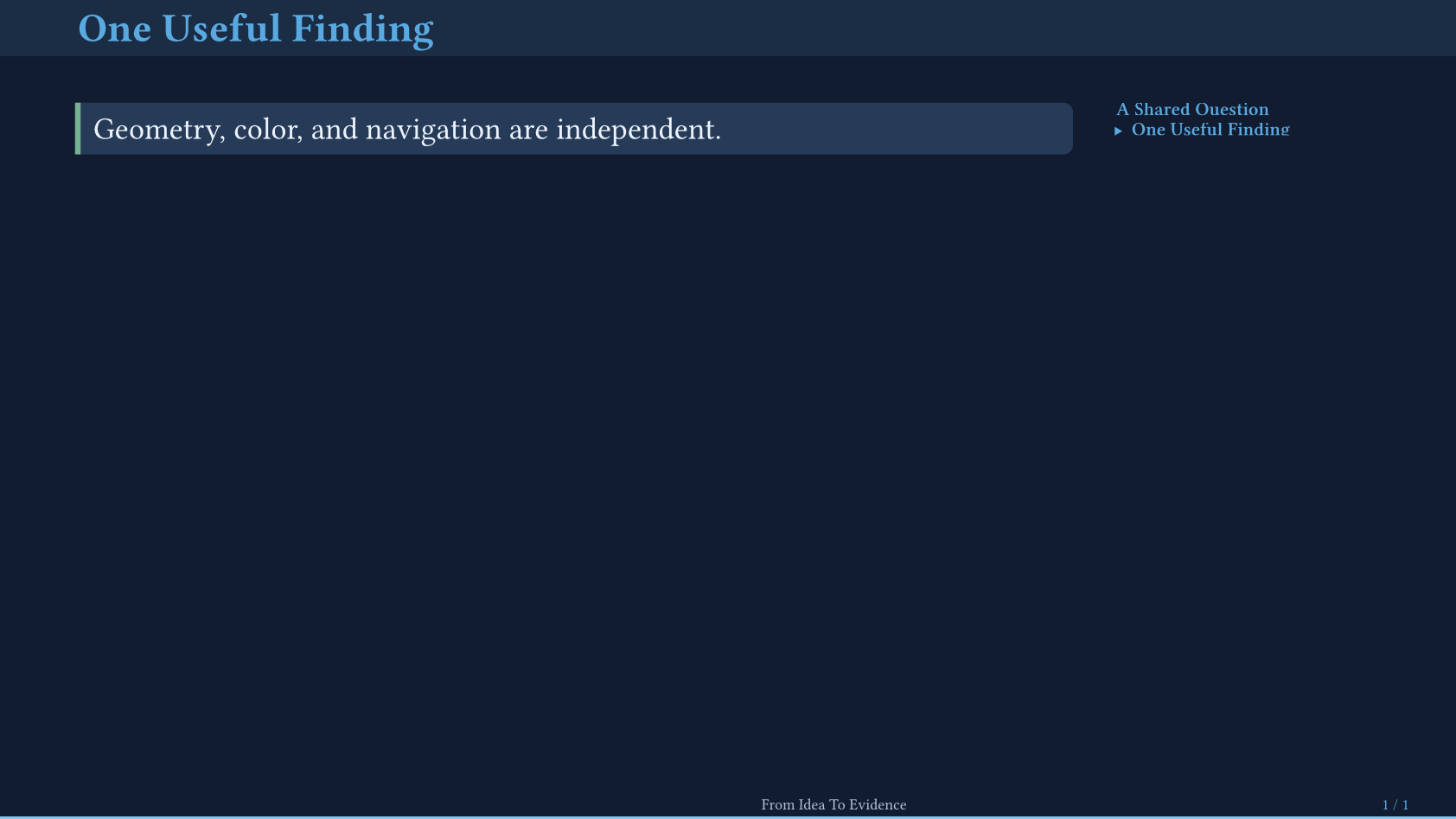
You can keep the same content while changing these choices. Header/sidebar navigators reserve space automatically; transparent navigation buttons and progress indicators are independent overlays.
Choose The Right Configuration Layer
| Layer | Use It For |
|---|---|
ambrosia-theme.with(...) | Theme-wide flavor, palette, typography, navigation, logos, and layout defaults. |
config-info(...) | Title, authors, affiliations, emails, date, and short footer labels. |
config-store(...) | Component settings and local slide overrides. |
config-common(...) | Touying behavior, section transitions, and output modes. |
config-page(...), config-colors(...) | Final native page and color overrides. Custom chrome owns its spacing. |
Pass Touying configurations as positional arguments to the theme:
#show: ambrosia-theme.with(
  flavor: "minimal", palette: "forest",
  navigation-buttons: true,
  config-info(title: [Field Notes], author: [Alex Researcher]),
  config-common(new-section-slide-fn: none),
)
Override One Slide
#slide(
  title: [A Wide Figure],
  config: config-store(navigation: none),
)[
  This slide reclaims the structural navigator's space.
]
Slide helpers can also expose a direct override: for example,
title-slide(layout: "header") replaces the theme’s title layout for one opening.
See title layouts, ending layouts, and
image placement for their specific options.
Make A Reusable Preset
Use .with(...) for a function preset. Use a descriptor to extend a flavor,
palette, title layout, ending layout, or navigator without registering a global
name:
#let result = ambrosia-block.with(style: "stripe", kind: "success")
#let my-colors = ambrosia-palette(base: "light", primary: rgb("2b6b51"))
#let my-layout = ambrosia-flavor(base: "minimal", name: "My Layout")
Import the package as a module when combining libraries:
#import "@preview/touying-ambrosia:0.1.0" as slides
#show: slides.ambrosia.theme.with(palette: "ocean")
#slides.ambrosia.slide(title: [A Scoped API])[
  #slides.ambrosia.block[One useful idea.]
]
The API index maps prefixed names to their scoped equivalents. Institution-specific defaults can live in a small wrapper.