The Ambrosia Guide / 0.1.0 PDF Manual ↗
Authors, Affiliations, And Footers
Use config-info(author: ..., institution: ..., email: ...) for one presenter.
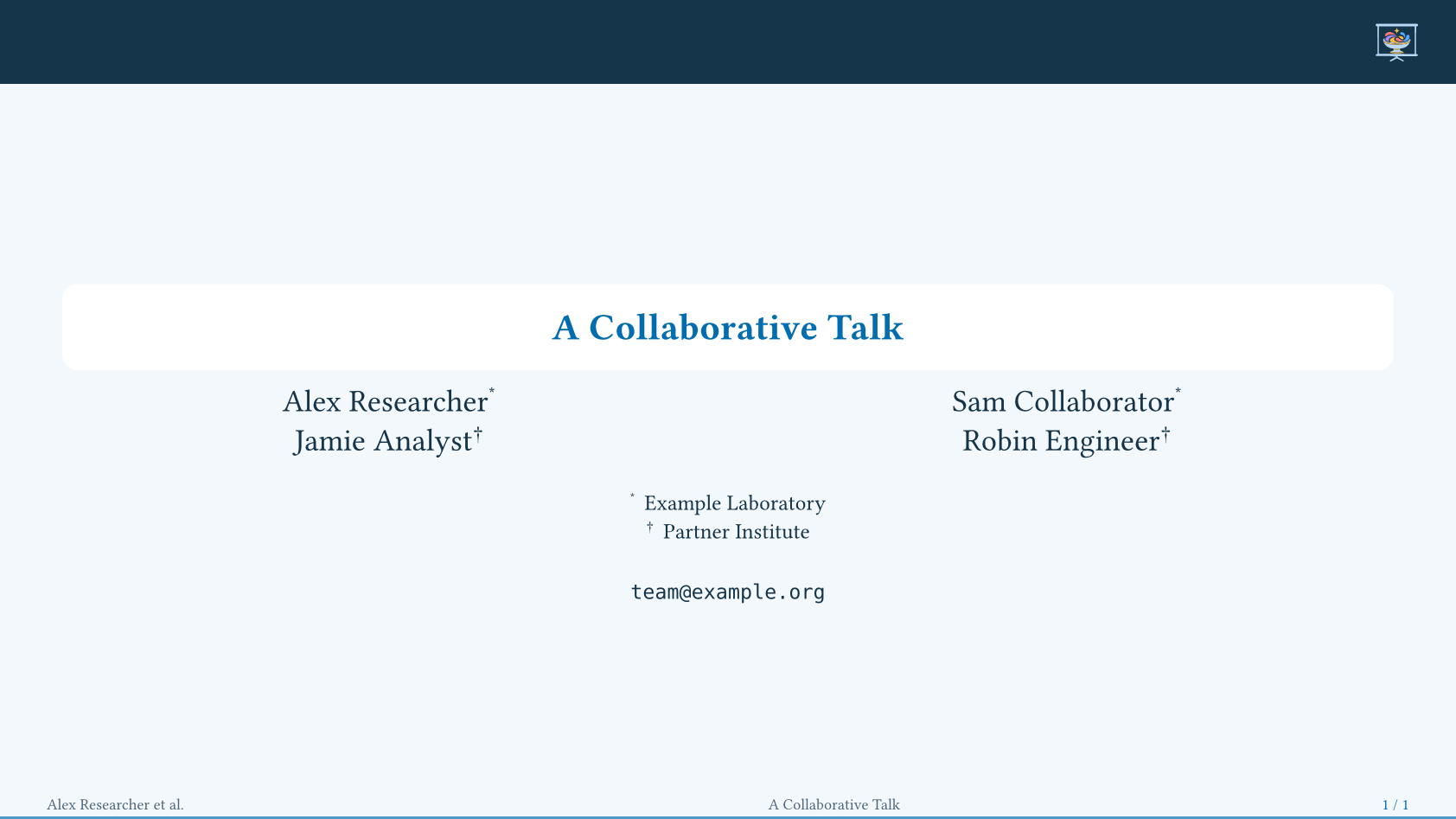
For collaborators, supply authors and institutions records:
#title-slide(layout: "header",
  config: config-info(
    title: [A Collaborative Talk],
    authors: (
      (name: [Alex Researcher], affiliations: ("lab",)),
      (name: [Sam Collaborator], affiliations: ("lab",)),
      (name: [Jamie Analyst], affiliations: ("partner",)),
      (name: [Robin Engineer], affiliations: ("partner",)),
    ),
    institutions: (
      lab: [Example Laboratory],
      partner: [Partner Institute],
    ),
    email: "team@example.org",
  ),
)
People And Contacts
| Field | Content |
|---|---|
authors | Names, or records with name, optional short, affiliations, and email / emails. |
institutions | Ordered dictionary of IDs to names/records, or records with id and name; address is optional. |
emails | Shared contact addresses below the institutions. |
short-author, short-title | Compact footer labels. |
Affiliation IDs must match configured institutions. Personal emails sit below their authors; duplicate shared addresses are removed. String addresses retain clickable mailto links.
Authors flow into one to three balanced columns; four use two rows when space
allows. author-columns: 1, 2, or 3 fixes the count. Title metadata fits as
one unit; a large consortium may need a separate contributor slide.
Only supplied config-info fields change; none clears a field. Plural fields
take precedence over singular ones. institutions: auto uses institution.
Linked Affiliations
affiliation-numbering accepts a Typst numbering pattern or function:
"1" (default), "*", "a", "I", or n => [#sym.star#n].
Markers link to their institution on the same cover.
ambrosia-affiliation("lab") inserts a marker elsewhere, targeting the closest
preceding cover or first following cover. For unrelated covers that reuse IDs,
set config-info(affiliation-scope: "project-a") and pass the same scope to
manual markers.
Footer Labels And Logos
Without short-author, one author uses their short/name value; two are joined
with an ampersand; larger groups use the first followed by “et al.”.
Author/title labels shrink to footer-min-scale: 80%, then truncate with an
ellipsis. Dates and complete slide counts keep their reserved widths.
The date is hidden unless config-info(date: ...) is supplied. A date override
on title-slide affects only that cover.
footer-logo: auto follows the flavor; true enables the primary marks and
false hides them. footer-logo-height defaults to 1.1em. Logos and buttons
share a reserved row above any segmented rail. Local config-store overrides
work; custom footers manage their own layout.
Appendix Numbers
Appendix counters restart separately. Their default display is i, ii, iii,
without a total:
#show: ambrosia-theme.with(appendix-numbering: "1", appendix-total: true)
#show: appendix
// Main: 1 / 7 ... 7 / 7. Appendix: 1 / 3 ... 3 / 3.
appendix-numbering accepts "i", "1", "A", "S1", a function, or
none to hide it. A function receives the local number, or both number and
total when appendix-total: true. For A1/A2, use n => [A#n] rather than the
two-level pattern "A1". Appendix outline entries use the same labels; string
patterns omit the total there.
For continuous whole-deck numbering, replace the number callback:
#show: ambrosia-theme.with(
  footer-ad: self => context [
    #utils.slide-counter.get().first() / #utils.slide-counter.final().first()
  ],
)
Animations share a number; backup-slide freezes it.
appendix.with(numbering: "A.1") controls heading numbering separately.