The Ambrosia Guide / 0.1.0 PDF Manual ↗
Blocks And Text
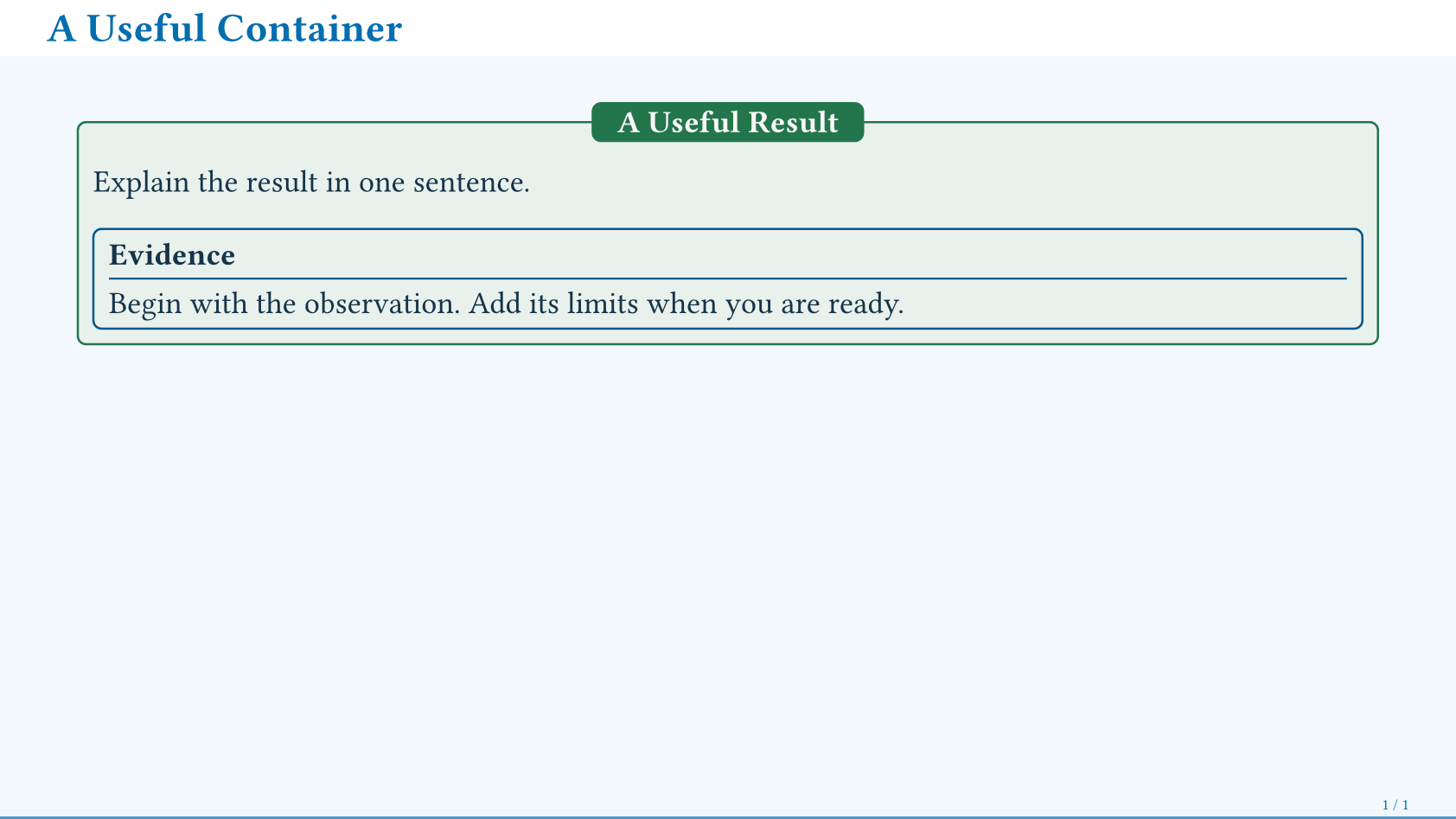
ambrosia-block groups content with an optional title. Choose style for
geometry and kind for meaning; both work independently of the palette.
#ambrosia-block(
  style: "tabbed", kind: "success",
  title: [A Useful Result],
)[
  Explain the result in one sentence.
  #ambrosia-block(style: "outlined", title: [Evidence])[
    Begin with the observation.
    #pause
    Add its limits when you are ready.
  ]
]
Block Styles
style | Appearance |
|---|---|
"plain" | Quiet panel and accent heading. |
"framed" | Joined title bar and body. |
"poster" | Separate rounded title bar and body. |
"outlined" | Transparent frame and ruled heading. |
"stripe" | Panel with a square left accent edge. |
"tabbed" | Centered title crossing the top border. |
Kinds are "accent" (default), "info", "success", "warning", "danger",
and "neutral". They color headings, borders, and local accents; they do not add
numbering. Use descriptive titles alongside color.
Set block-style on the theme for a default, or make a reusable preset:
#let result = ambrosia-block.with(style: "stripe", kind: "success")
#result(title: [Finding])[Measured improvement.]
| Option | Controls |
|---|---|
fill, background | Accent and body fill; background: none is transparent. |
text-fill, title-fill | Explicit body and title ink. Solid fills otherwise choose contrasting ink. |
radius, inset, stroke, width, gap | Shape and spacing. Defaults scale in em. |
shadowed | auto follows the style/flavor; true or false overrides it. |
watermark | true or "body" marks the body, "title" the title; requires a watermark-logo. |
Poster parts cast separate shadows; transparent panels shadow their borders.
Blocks support nesting and reveals. Keep pause visible to Touying’s parser;
do not hide animation commands inside an opaque context.
For a custom native container, ambrosia-shadow[...] adds a shadow;
hollow: <length> makes it follow a border.
Text And Annotations
alert adds emphasis. muted and subtle lower prominence while inheriting the
surrounding typography. ambrosia-badge adds a small semantic label;
ambrosia-source-note gives a local credit without consuming a footnote.
Regular text, #alert[the key point],
#muted[secondary context],
and #subtle[an optional aside].

#ambrosia-badge(kind: "success", shadowed: true)[Verified]
#ambrosia-badge(kind: "warning")[Preliminary]

#ambrosia-source-note[Source: Example Dataset, 2026.]
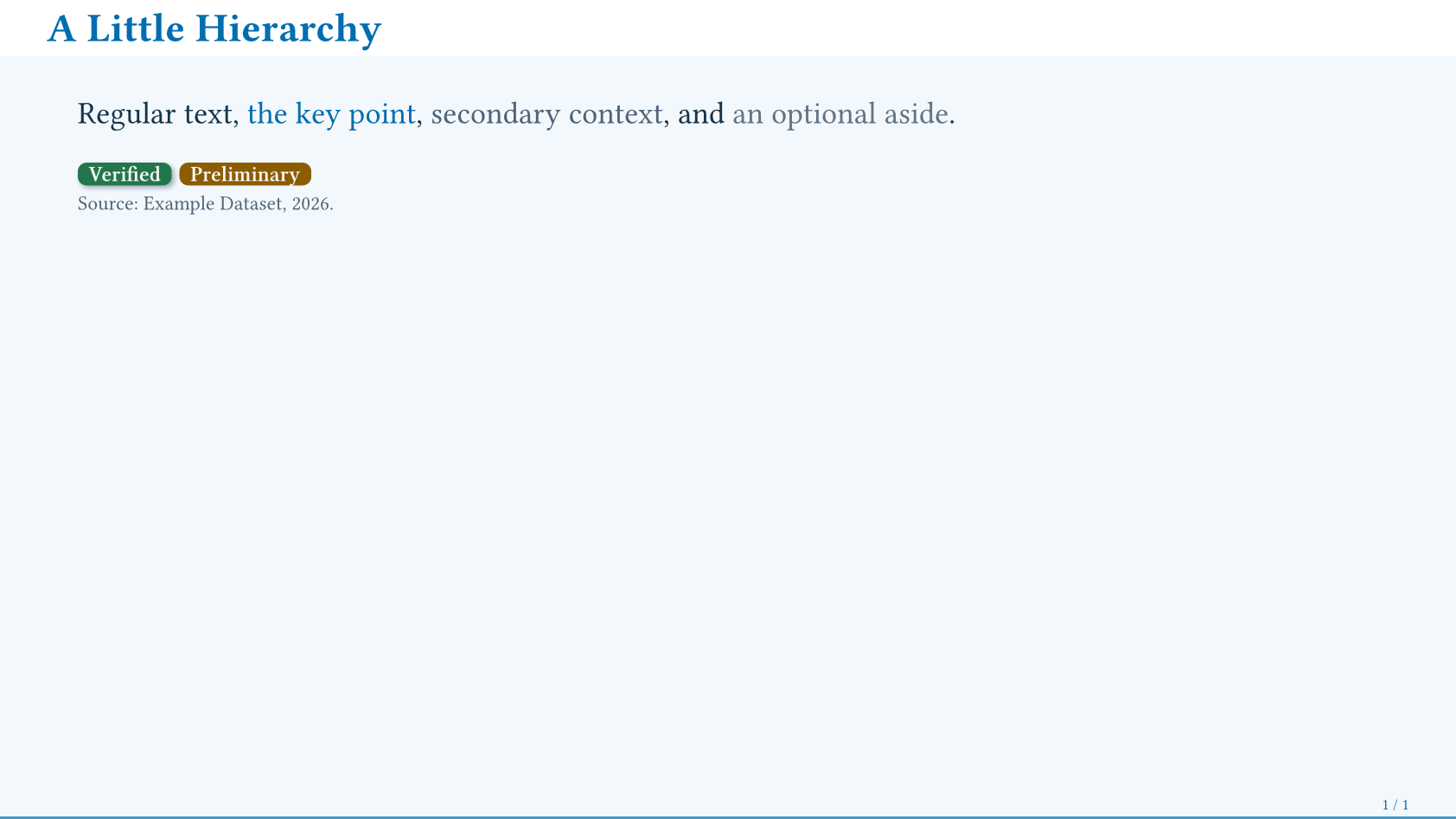
Badges accept the same kind values as blocks, an optional solid fill, and
shadowed: true (default false). On photographs or custom gradients, choose
appropriate text ink explicitly.
Native Code, Quotes, And Tables
Block code gets a palette panel; block quotations get an accent stripe. Inline
forms keep their native layout. code-style: "plain" and quote-style: "plain"
disable the decorations.
Text defaults to 18pt; tables use 0.85em, captions 0.8em, and footnotes
0.65em. Change text-size, table-text-size, caption-text-size, or
footnote-text-size on the theme.