The Ambrosia Guide / 0.1.0 PDF Manual ↗
Palettes
Every flavor accepts every palette. Start from one of twelve presets:
light, ocean, forest, sand, rose, slate, nocturne, nebula,
midnight, evergreen, ember, or graphite.
Make Your Own
#let fieldwork = ambrosia-palette(
  base: "light", name: "Fieldwork",
  primary: rgb("2b6b51"),
)
#show: ambrosia-theme.with(palette: fieldwork)
#slide(title: [Our Visual Language])[
  #ambrosia-palette-showcase(columns: 5)
]
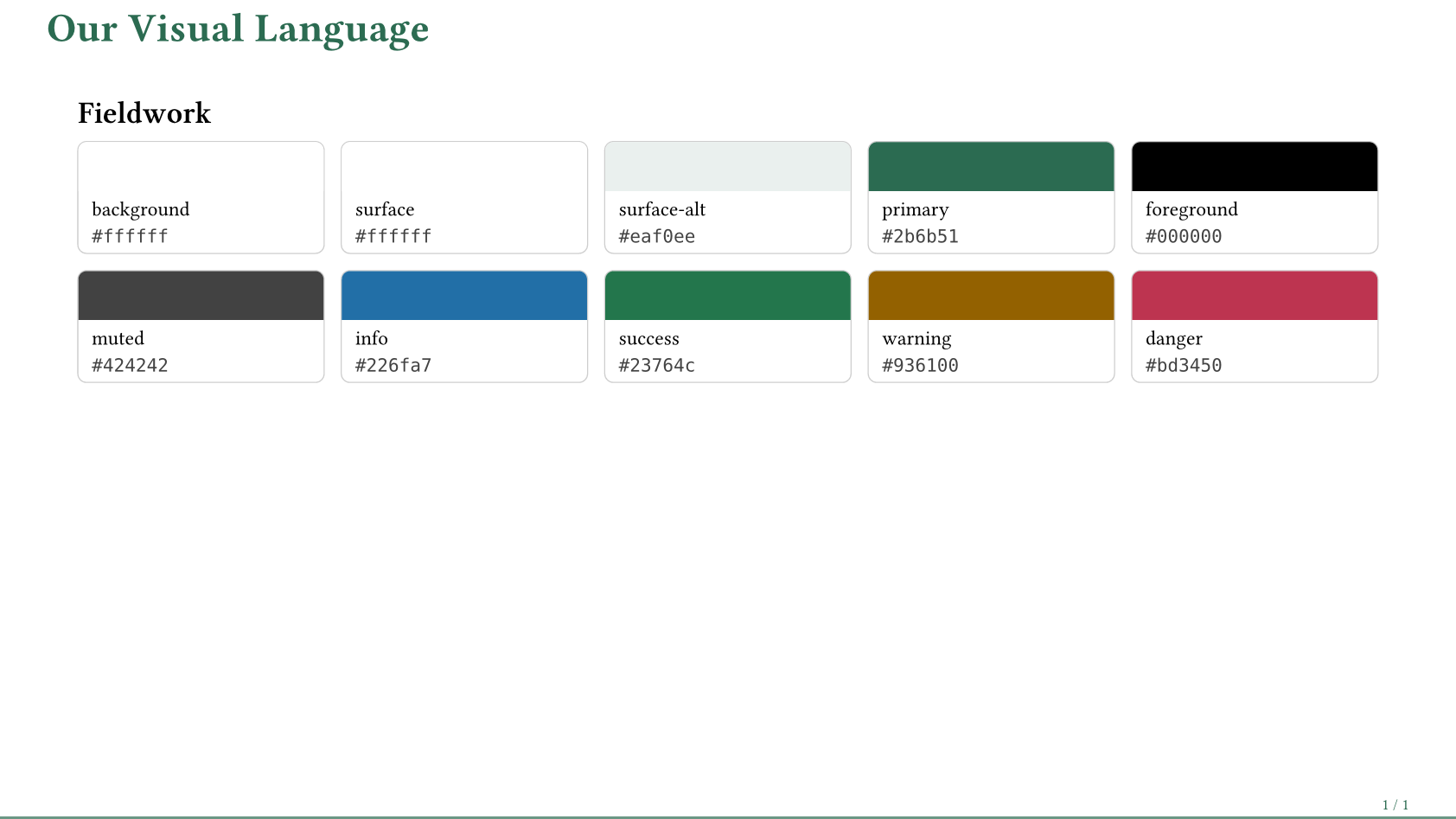
ambrosia-palette accepts a preset name or descriptor as base. primary sets
an accent seed; light also derives an alternate surface from it. Other bases
retain their curated surfaces.
#let violet = ambrosia-palette(base: "ocean", rotate: 65deg)
#let paper = ambrosia-palette(base: "light", primary: rgb("2b6b51"),
  background: rgb("faf7f0"), surface: rgb("fffdf7"))
rotate shifts hues in OKLCH before explicit overrides. Semantic
info/success/warning/danger colors stay unchanged unless overridden. Start from
a dark preset for a dark theme; changing dark alone is insufficient.
| Roles | Purpose |
|---|---|
background, foreground | Page and body ink. |
surface, surface-alt, muted, border | Panels and secondary detail. |
chrome, on-chrome, chrome-muted | Navigation surfaces and ink. |
info, success, warning, danger | Semantic accents. |
cover, on-cover, on-accent, accent-strong, on-accent-strong | Advanced surface/ink pairs. |
Accent, semantic, and muted text are adjusted for contrast. Explicit ink choices remain your responsibility.
Showcase The Active Colors
ambrosia-palette-showcase() reads the current palette, including local slide
overrides. Options include roles: ("primary", "surface", "foreground"),
columns: 3, title: none, and codes: false. It also works inside a block.